Darshan.

Rock Paper Scissors

Rock Paper Scissors

Technologies

HTMLCSSJavaScript

Gallery

Rock Paper Scissors 1
Rock Paper Scissors 2

About this project

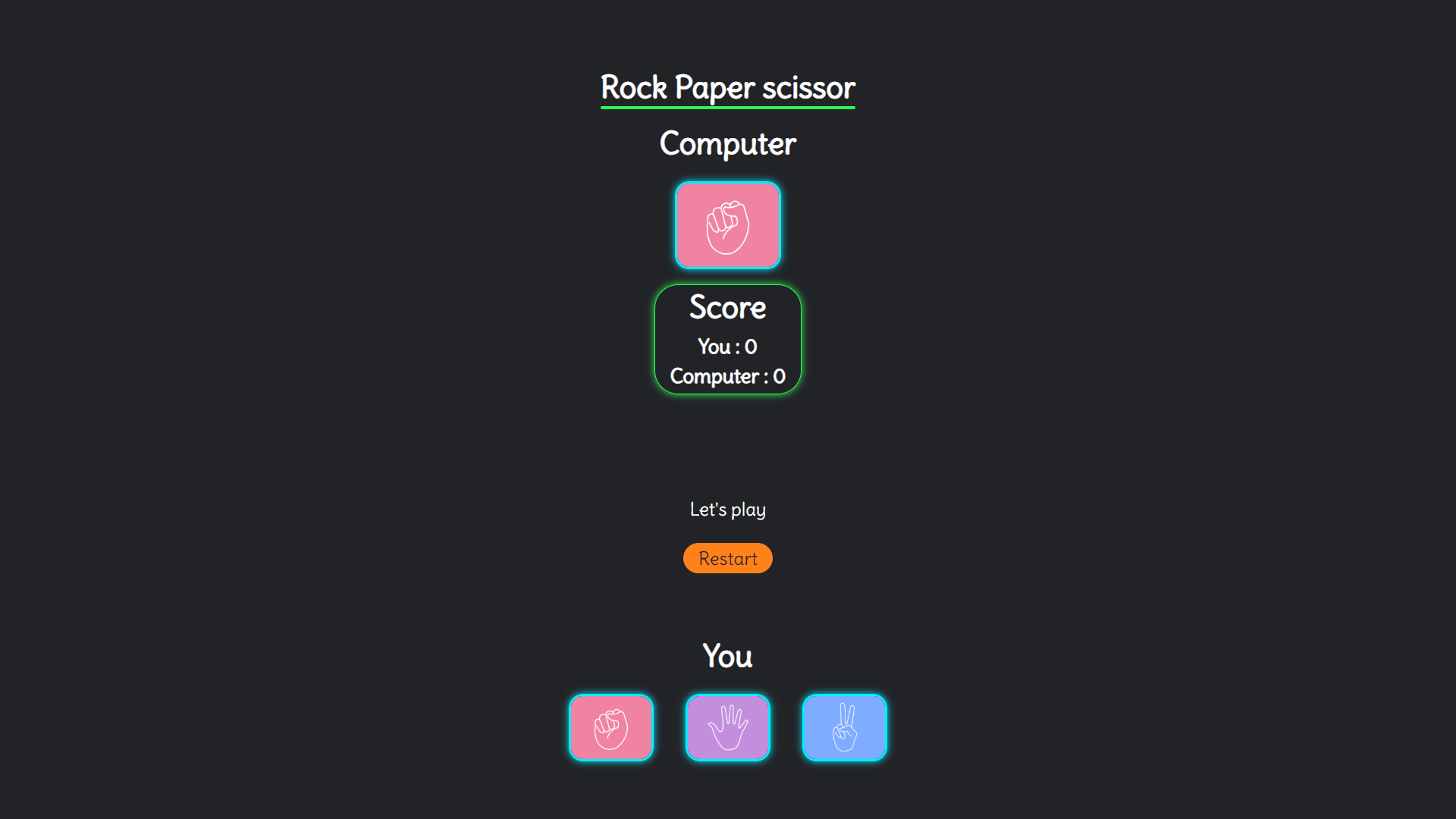
Interactive user vs computer game with score system and responsive design.

Project features

1. HTML Structure:
  • Created the basic structure using HTML5 to build the game interface.
  • Included external resources like images, fonts, and styles.
  • Defined interactive areas where users can select their choices (rock, paper, or scissors).
  • Incorporated elements for displaying the game score and computer's selection.
2. CSS Styling:
  • Applied custom styles to the page using CSS variables for colors, fonts, and layout.
  • Designed responsive layout using media queries to ensure the game is playable on various devices.
  • Styled interactive elements (like buttons and images) with hover effects and transitions.
  • Used flexbox for organizing the elements in a neat and structured manner.
3. JavaScript Functionality:
  • Implemented game logic to handle user input, computer’s random selection, and determining the winner.
  • Utilized event listeners to detect user’s choice and dynamically update the interface.
  • Created a scoring system to keep track of the score for both the user and the computer.
  • Handled game restart functionality to reset the game to its initial state.
4. Game Logic:
  • Generated a random choice for the computer and compared it with the user’s choice.
  • Determined the winner based on the standard rules of Rock Paper Scissors.
  • Displayed messages to indicate the result of each round (win, loss, or draw).
5. Interactivity:
  • Added interactive elements like clickable images for choosing rock, paper, or scissors.
  • Provided a restart button to reset the game to its starting state.

What I learned

1. HTML5:
  • Learned how to structure a simple interactive webpage.
  • Gained knowledge of linking external resources like CSS and JavaScript files.
  • Used semantic HTML tags for better accessibility and structure.
2. CSS:
  • Improved my skills in styling elements using CSS, especially using flexbox for layout.
  • Learned to create responsive designs with media queries to adjust layout and styling for different screen sizes.
  • Gained experience in customizing the appearance of interactive elements like buttons and images with hover effects.
  • Utilized CSS transitions for smooth visual feedback.
3. JavaScript:
  • Learned how to write event-driven code using event listeners for interactive elements.
  • Gained an understanding of generating random numbers and using them to simulate the computer’s choices.
  • Implemented logic to compare user and computer choices and determine a winner.
  • Worked with the DOM (Document Object Model) to update content dynamically based on user actions.
4. Game Development Basics:
  • Understood the core principles of simple game development such as turn-based logic, win/loss conditions, and scoring.
  • Created a fun and interactive experience for the user through the Rock Paper Scissors game.
5. Problem Solving:
  • Solved logical problems in determining the winner of the game by comparing choices.
  • Implemented a fair game system that randomly generates the computer’s choice and ensures correct results.
6. Project Organization:
  • Structured the project into multiple files (HTML, CSS, and JavaScript) for better maintainability and readability.
  • Learned how to work with multiple external files and link them together in a cohesive project.

Quick summary

Interactive user vs computer game with score system and responsive design.